Paso #1
Cree un nuevo perfil de red y asígnele el nombre Portal iDNS
-
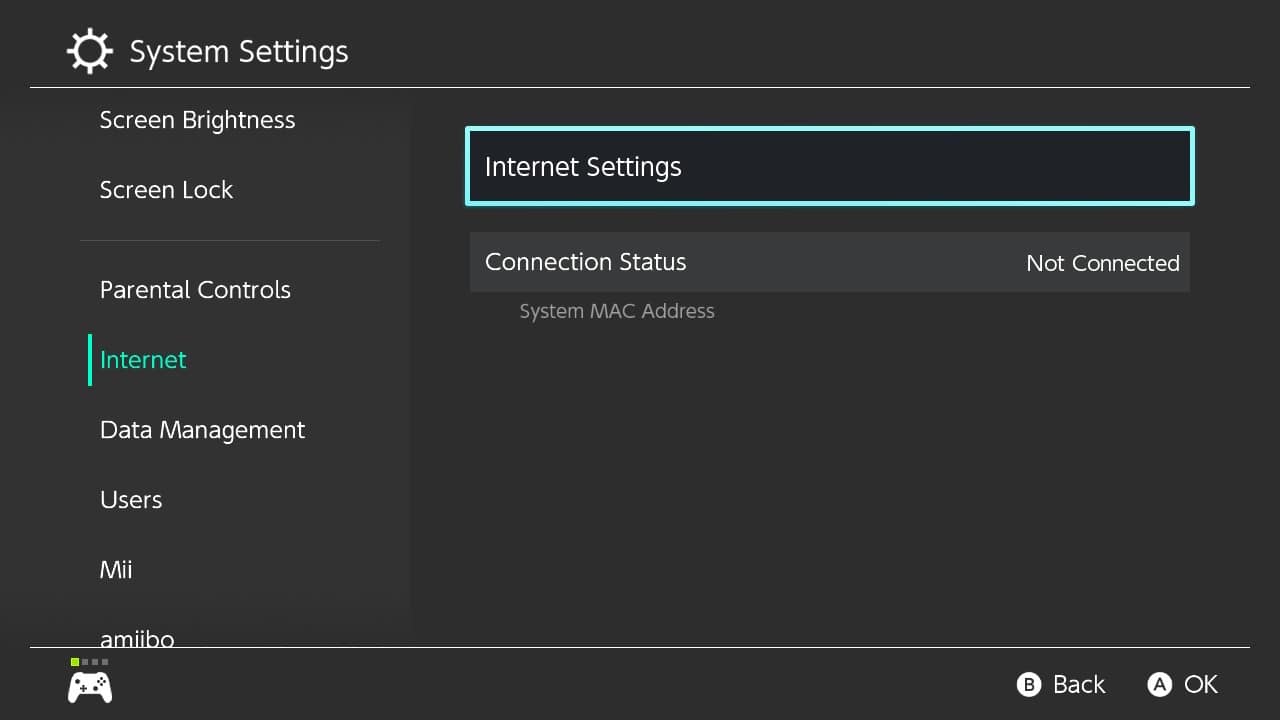
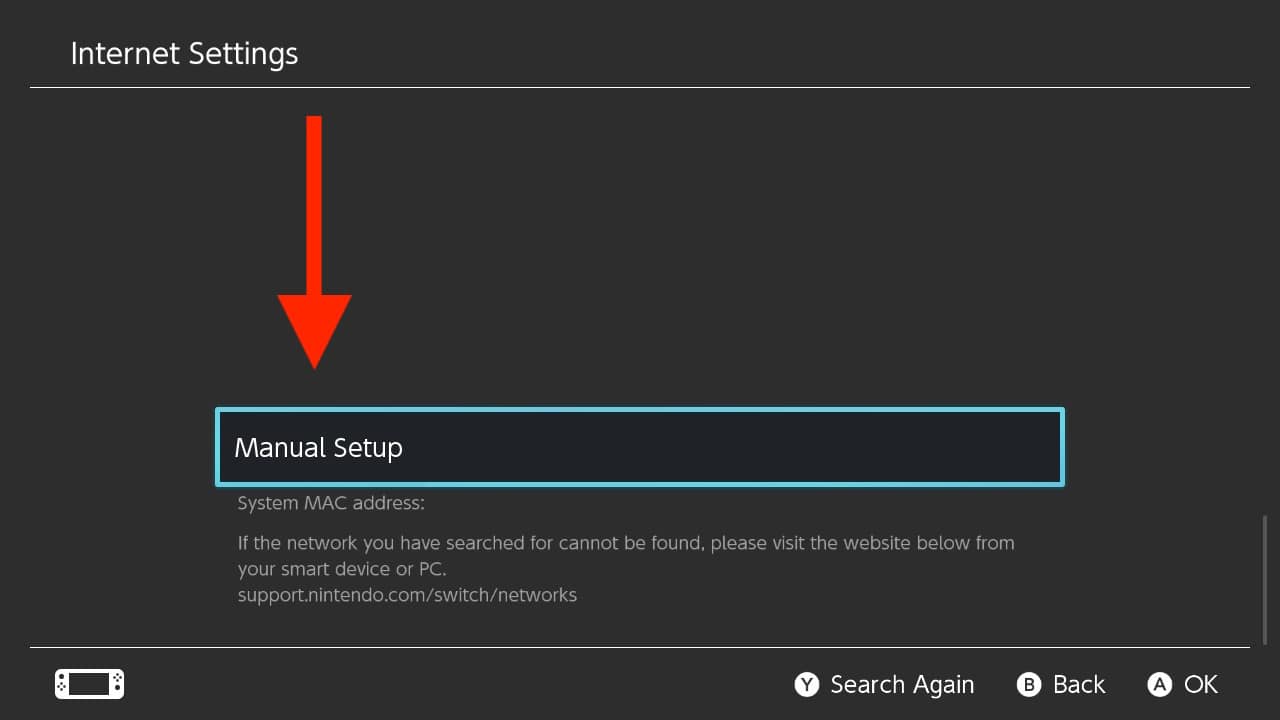
Abrir configuración de red
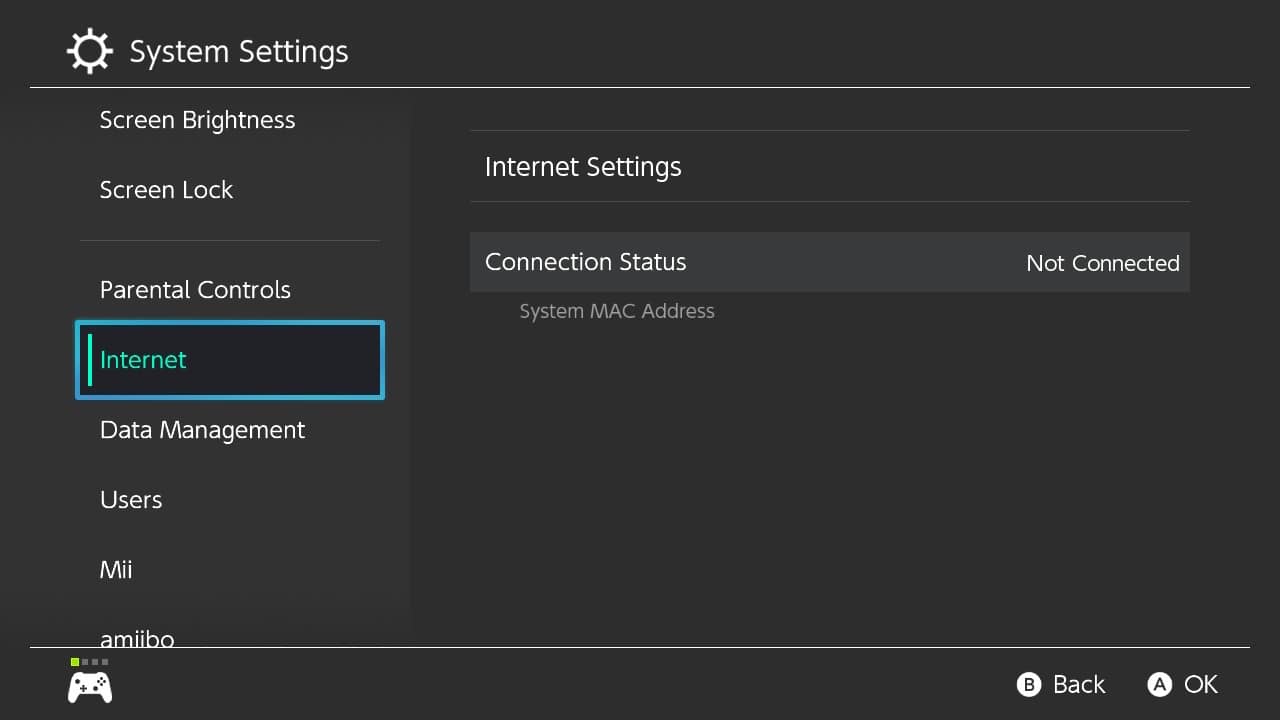
-

-
-
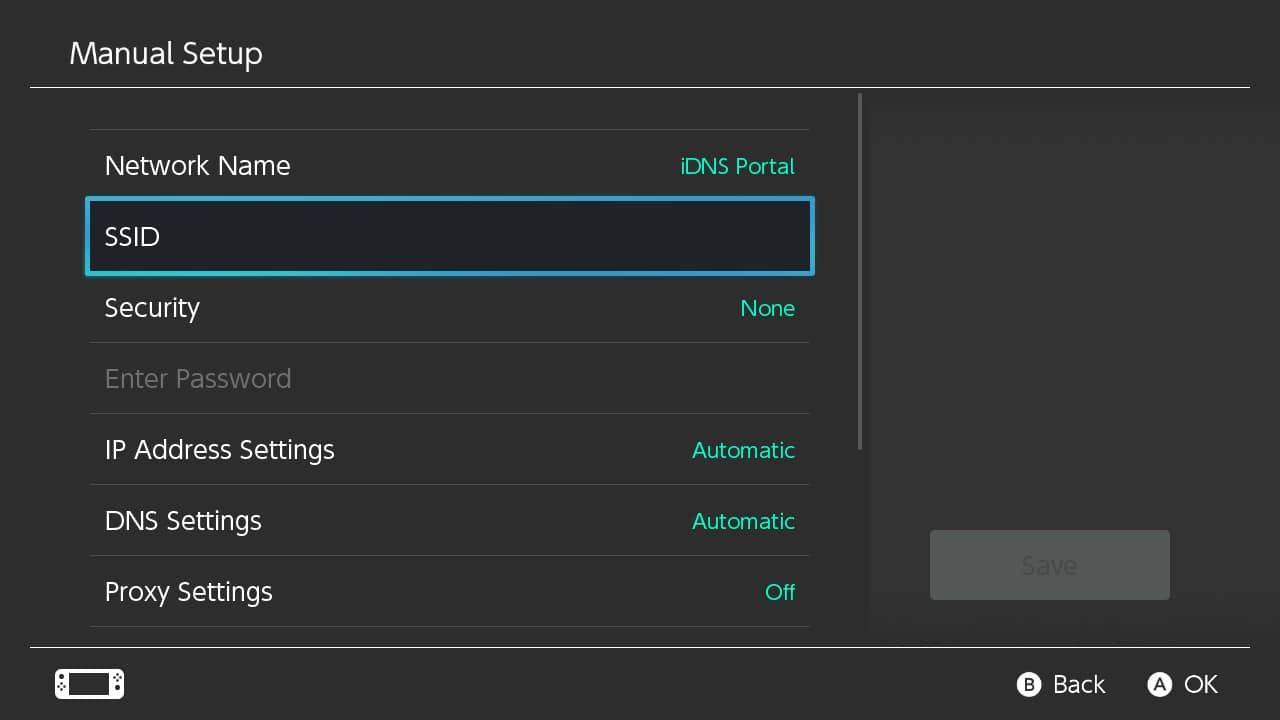
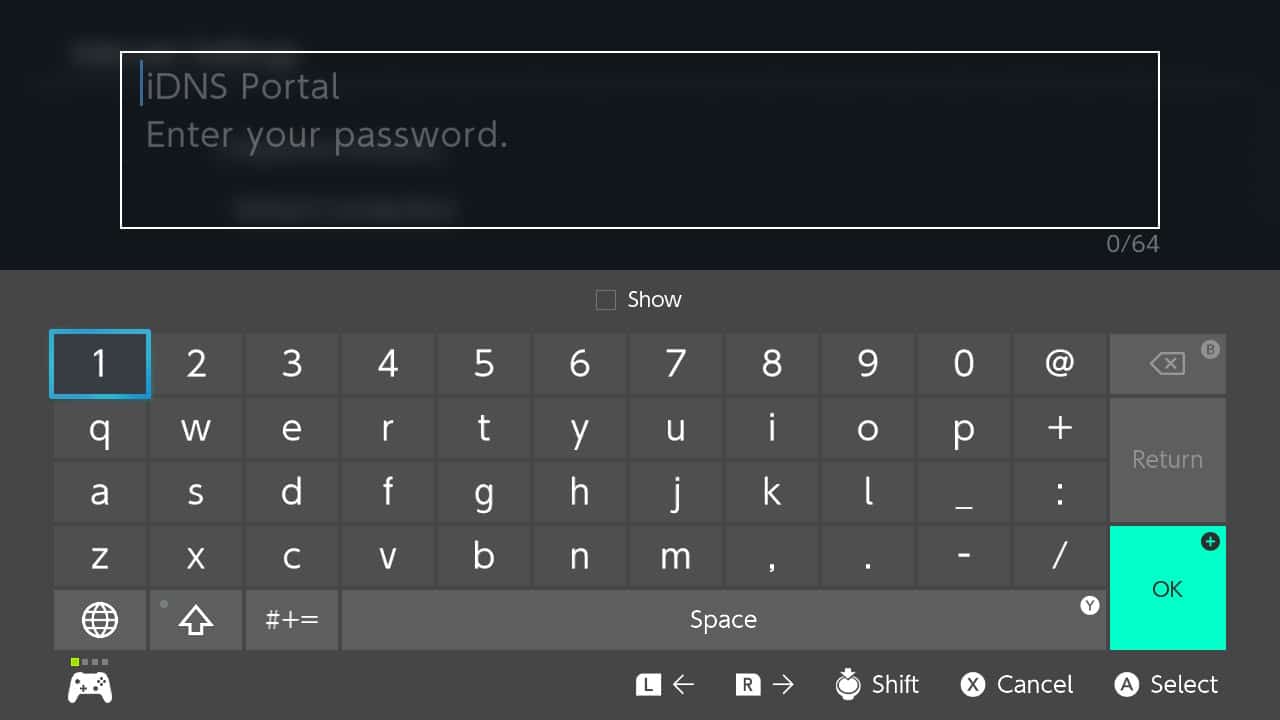
Ingrese iDNS Portal como Nombre de red y el nombre de su red Wi-Fi local como SSID
-
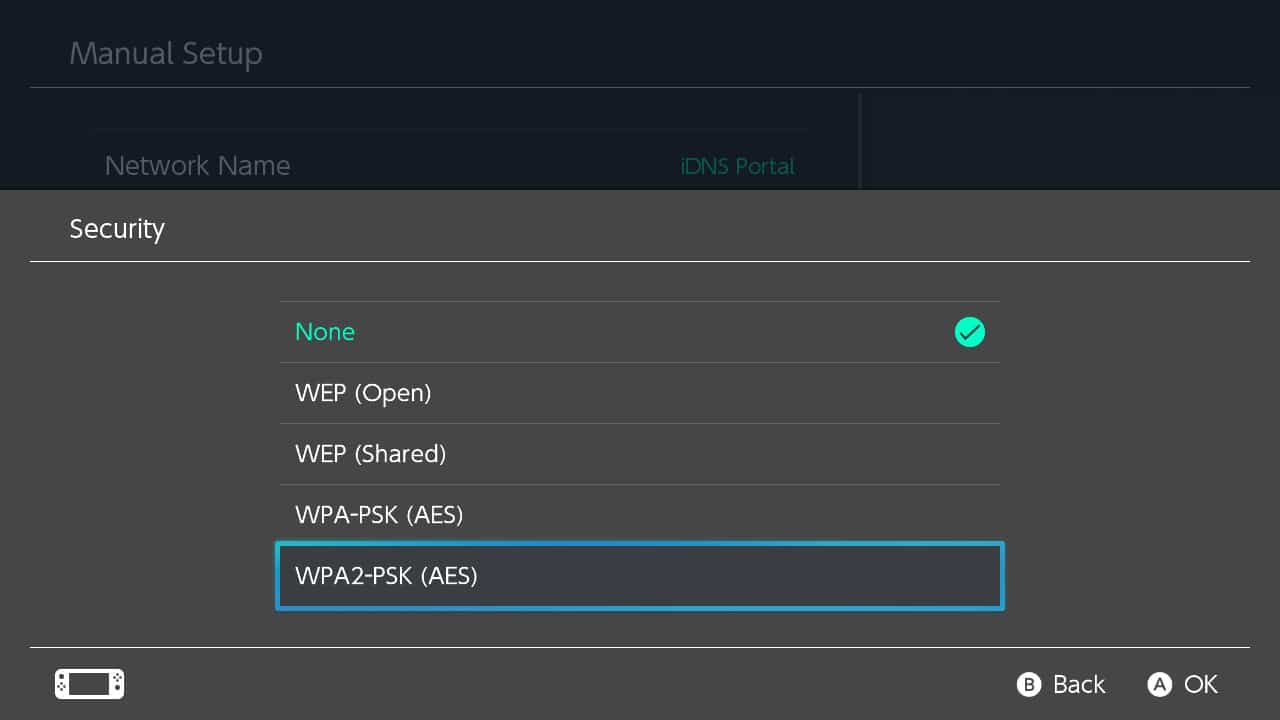
Habilite la configuración de seguridad e ingrese su contraseña de Wi-Fi local si es necesario
-
-
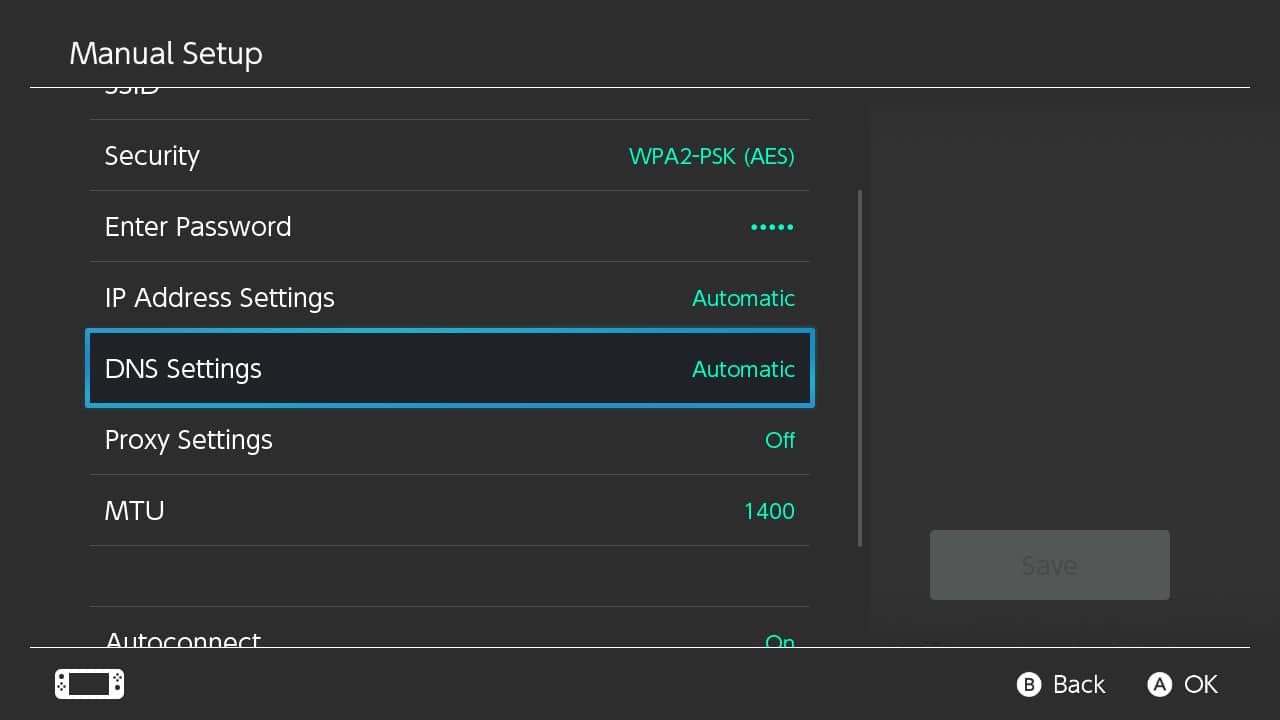
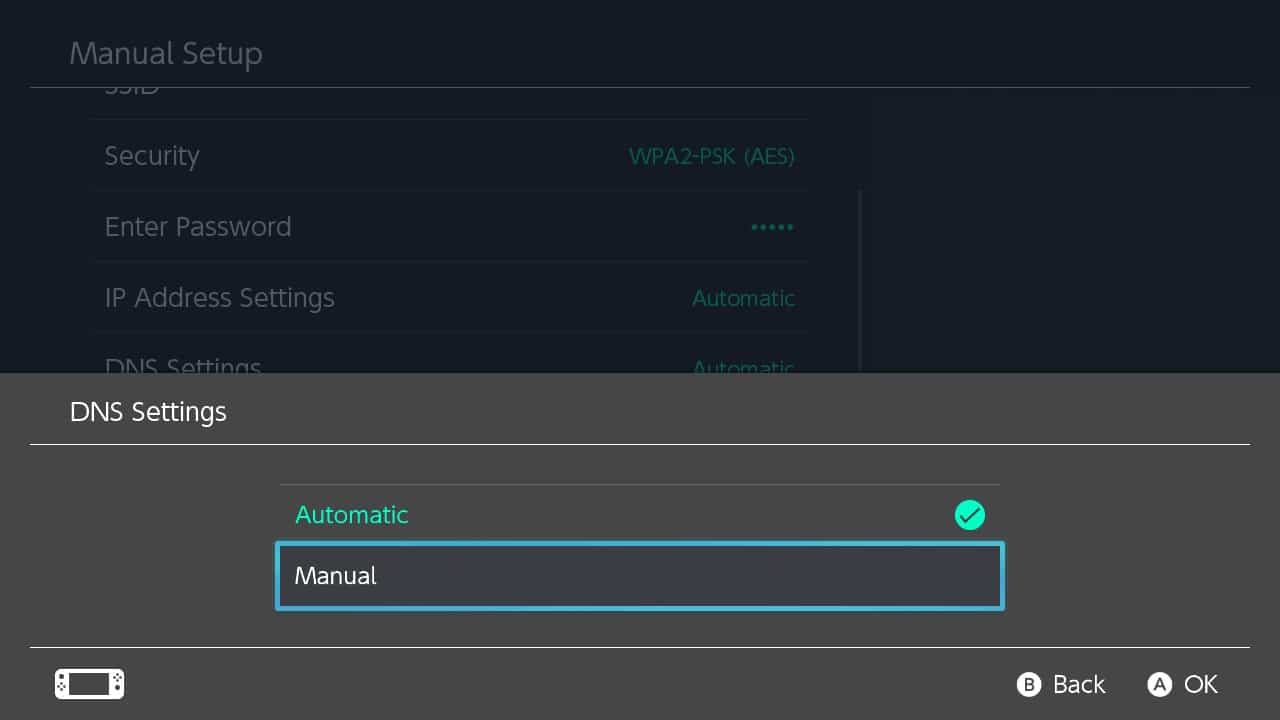
Cambie la configuración de DNS de Automático a Manual.
-
Desactiva la conexión automática
-
-
-
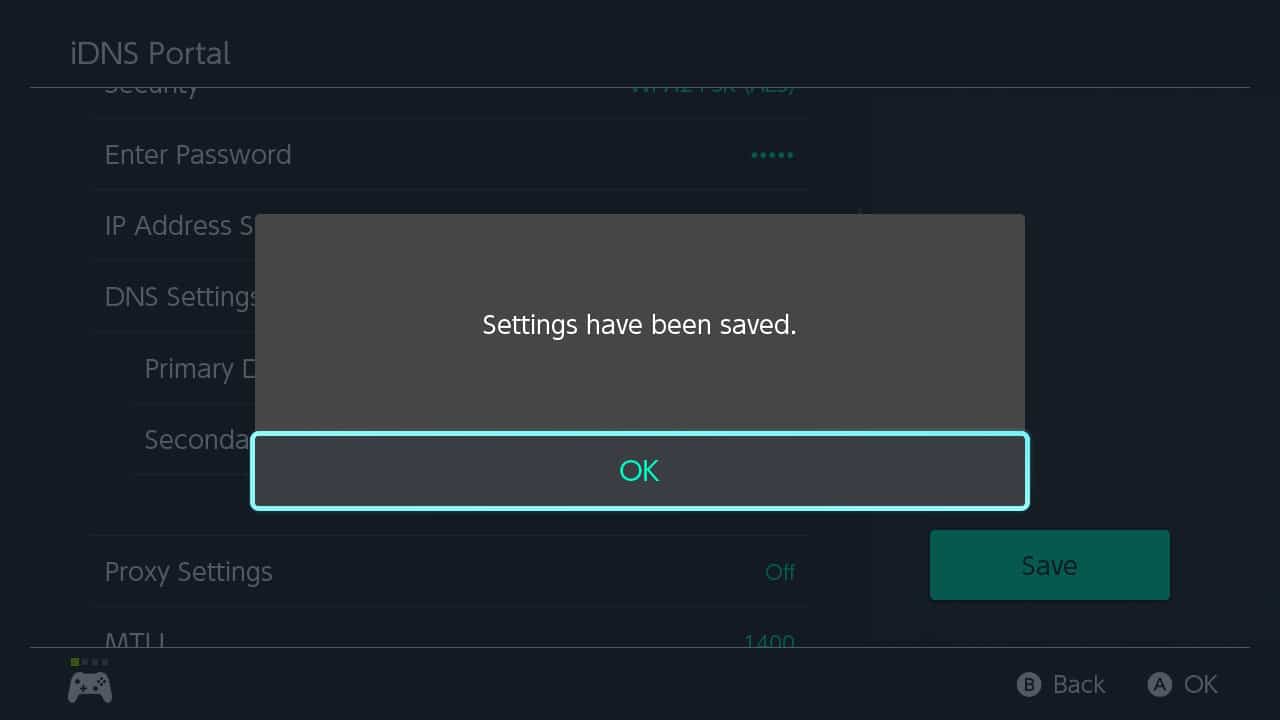
Guardar ajustes
- Paso #2



Marcas registradas
iOS, iPhone, iPad and iPod are trademarks of Apple Inc., registered in the U.S. and other countries.
Nintendo Switch is a trademark of Nintendo of America Inc., registered in the U.S. and other countries.
Android, Chromebook and Chrome OS are a trademark of Google LLC, registered in the U.S. and other countries.
Nintendo Switch is a trademark of Nintendo of America Inc., registered in the U.S. and other countries.
Android, Chromebook and Chrome OS are a trademark of Google LLC, registered in the U.S. and other countries.