Step #1
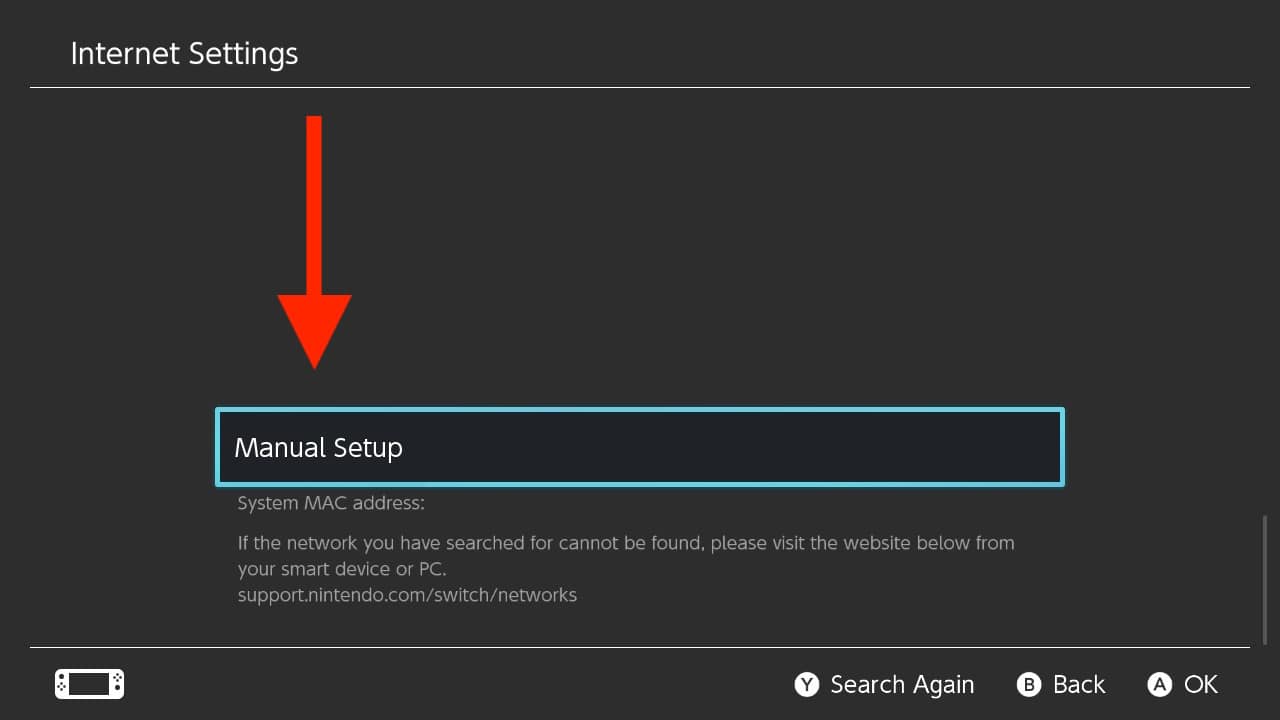
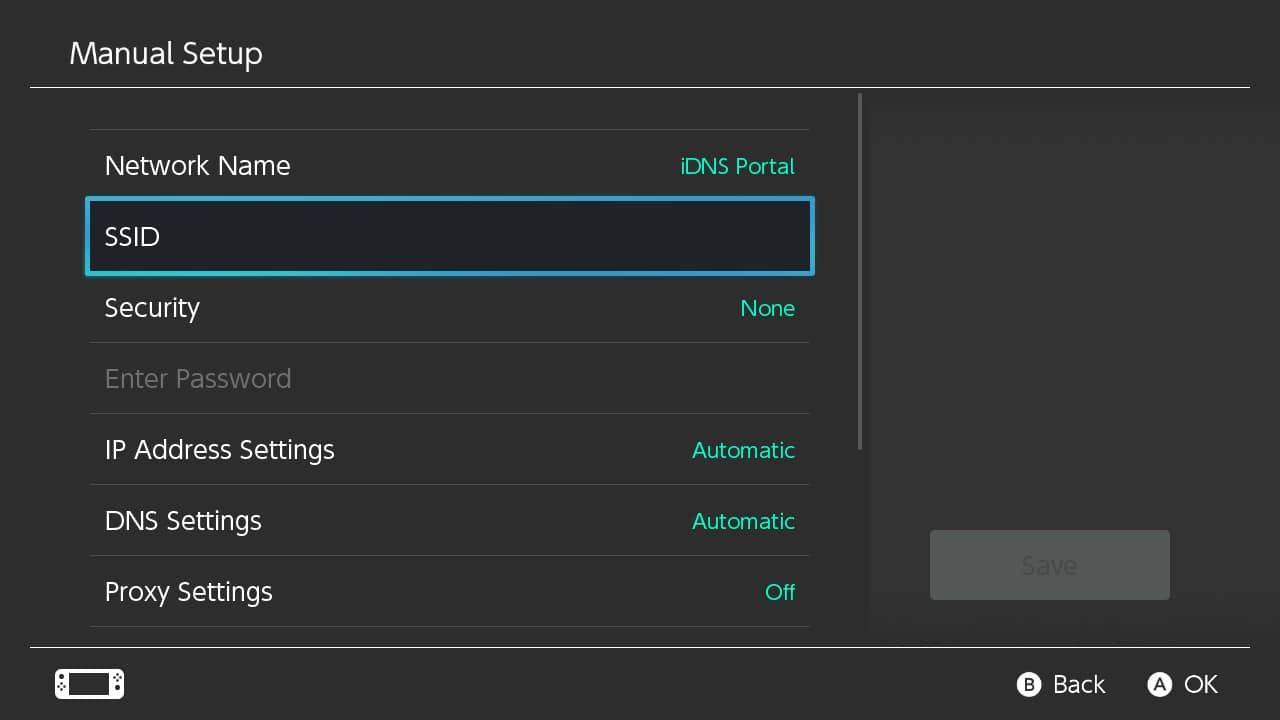
Create a new network profile and name it iDNS Portal
-
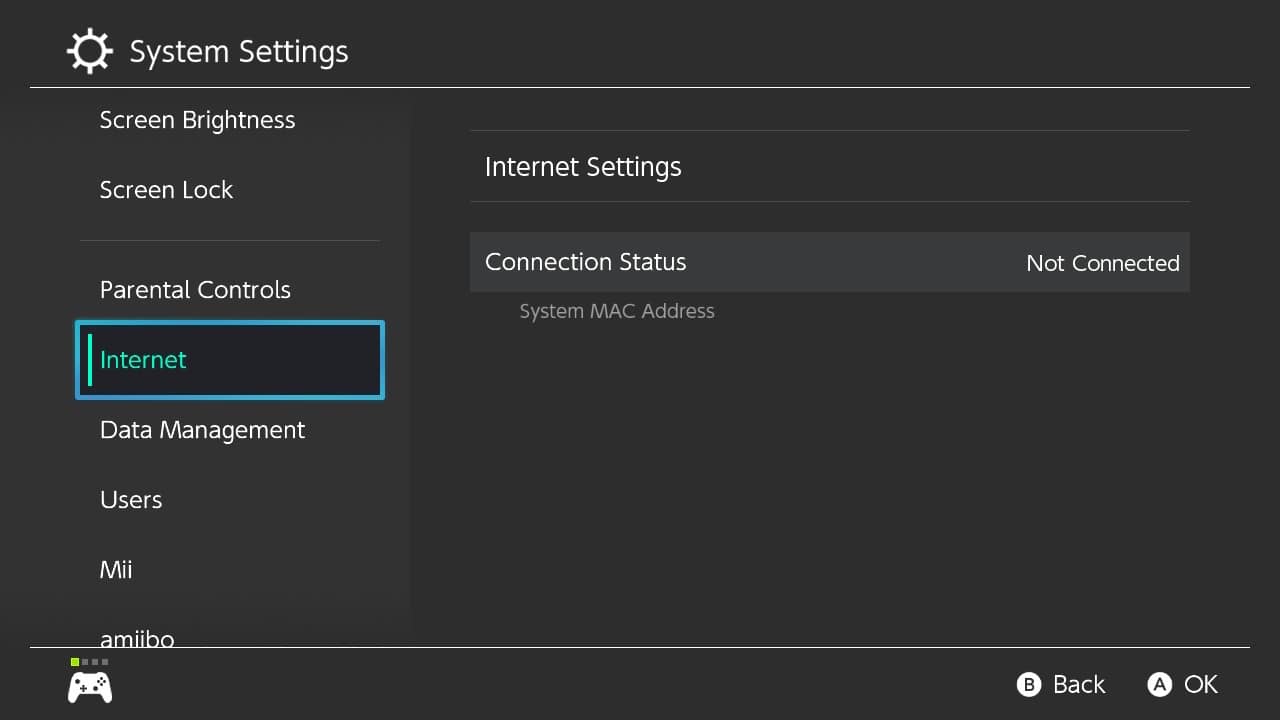
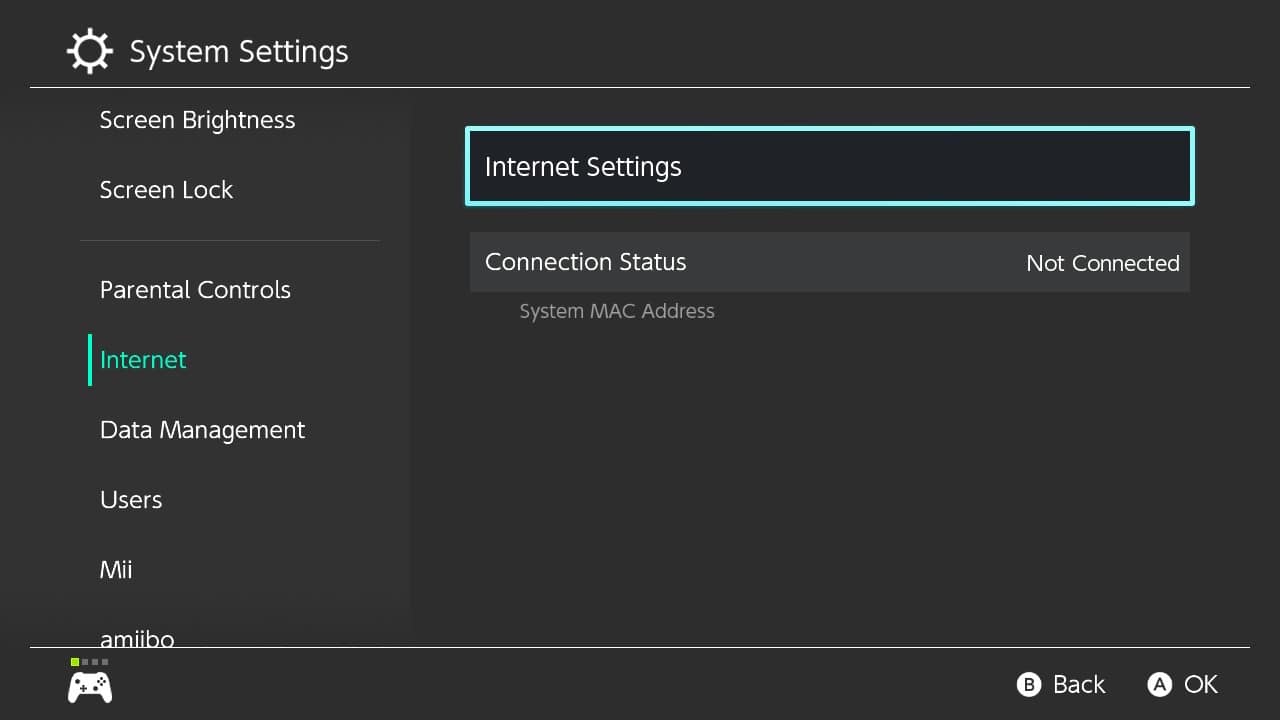
Open network settings

-
-
-
Enter iDNS Portal as Network Name, and your local Wi-Fi network name as SSID
-
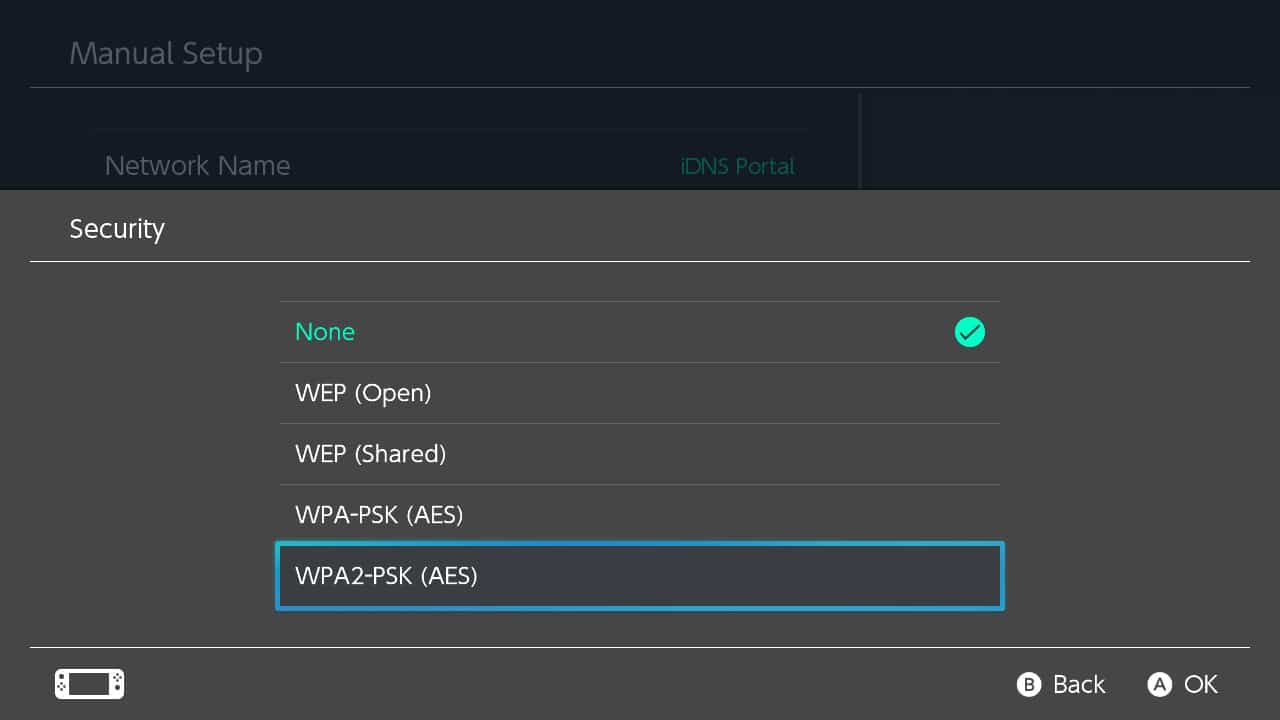
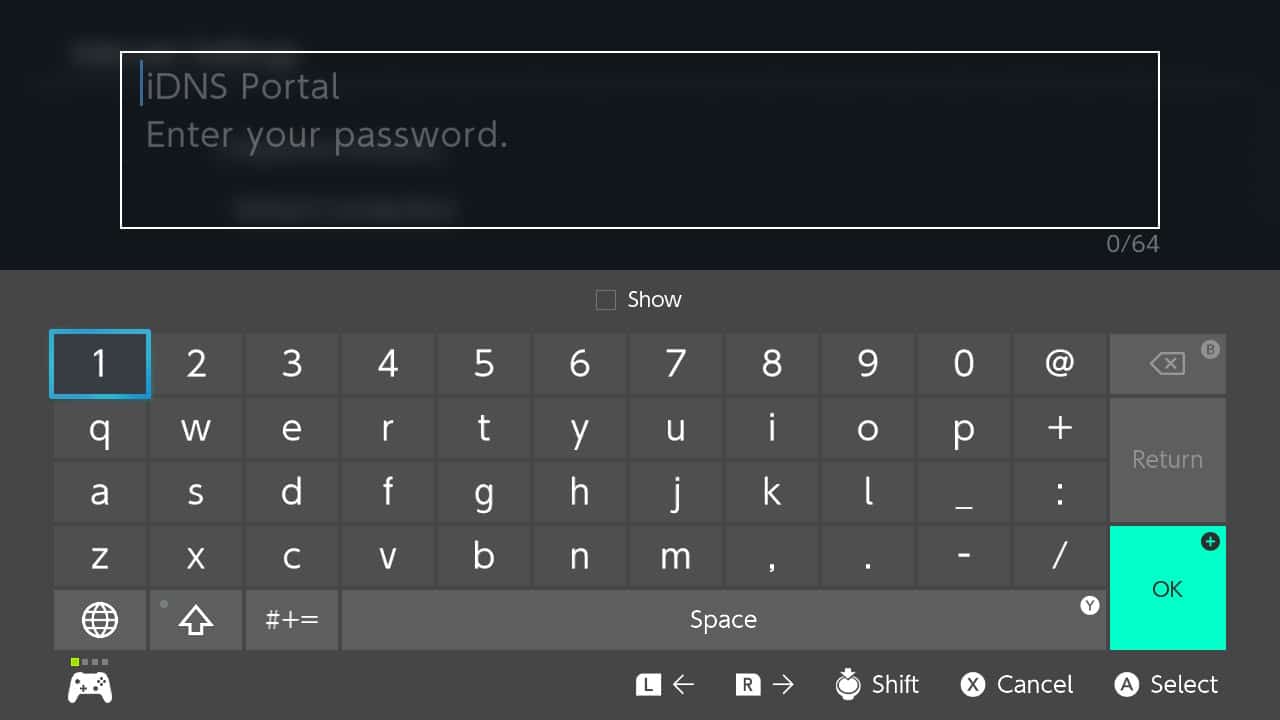
Enable Security settings and enter your local Wi-Fi Password if needed
-
-
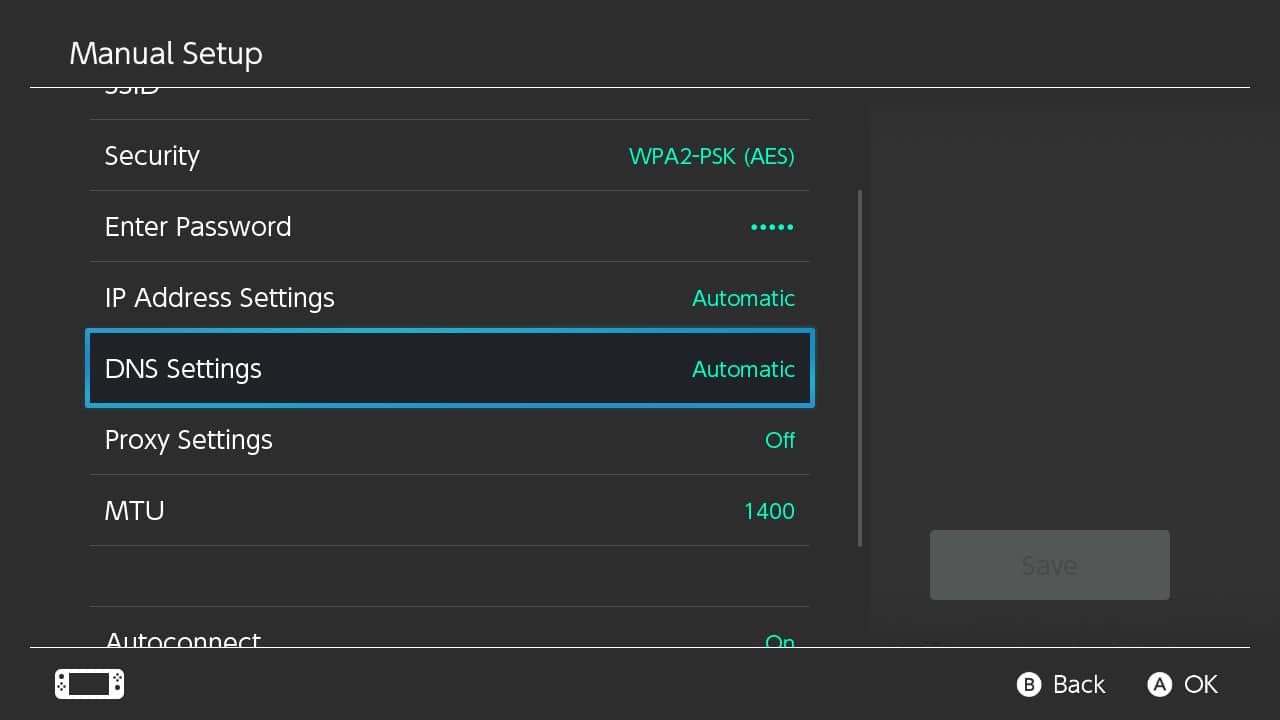
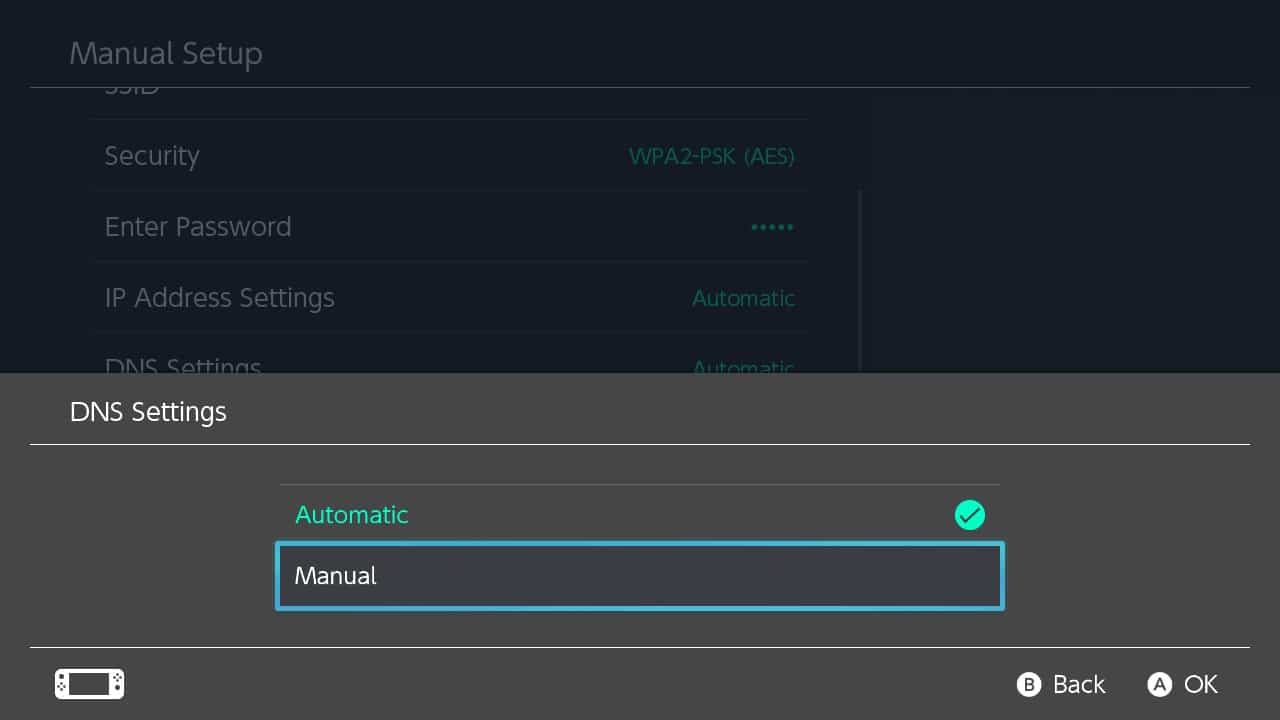
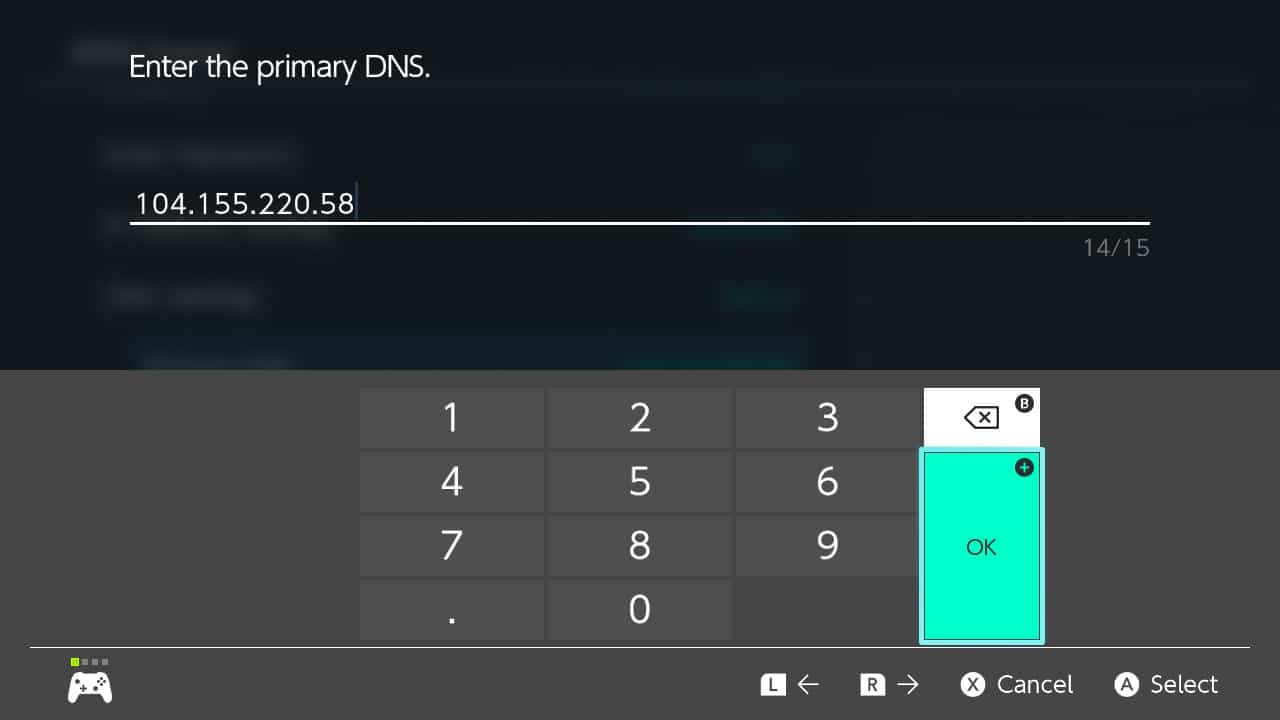
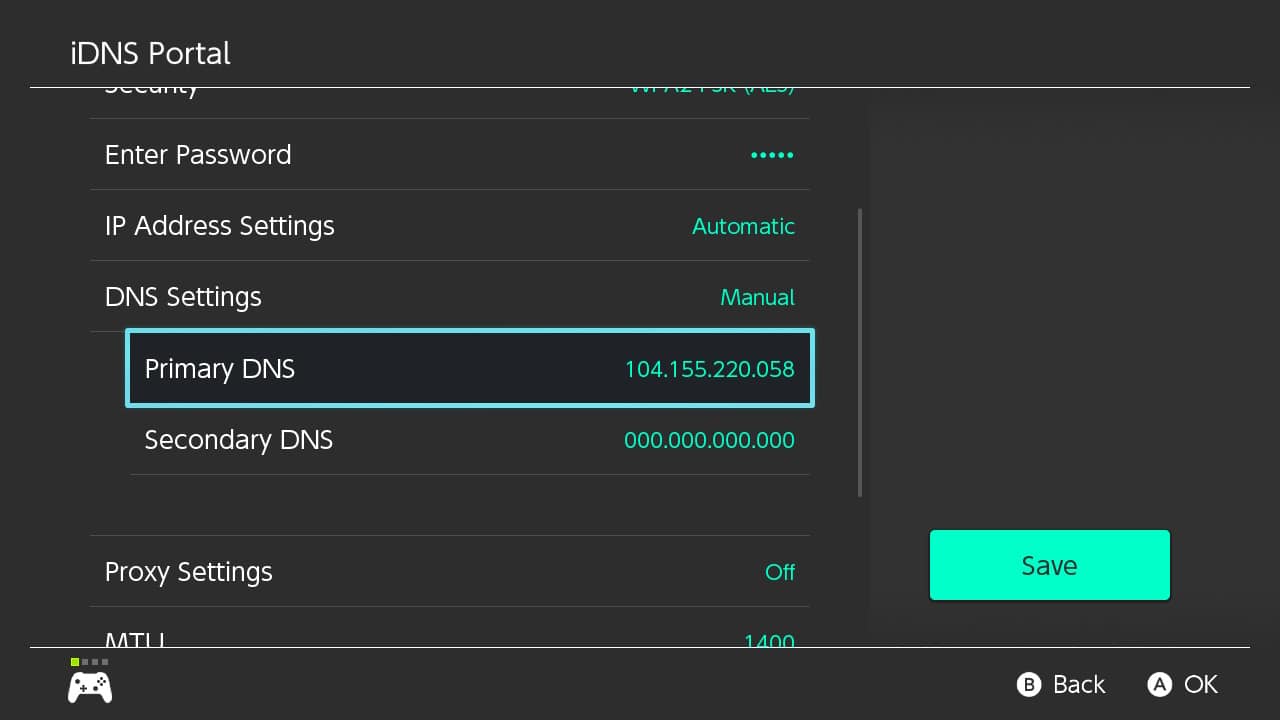
Switch the DNS settings from Automatic to Manual.
-
Turn off auto-connect
-
-
-
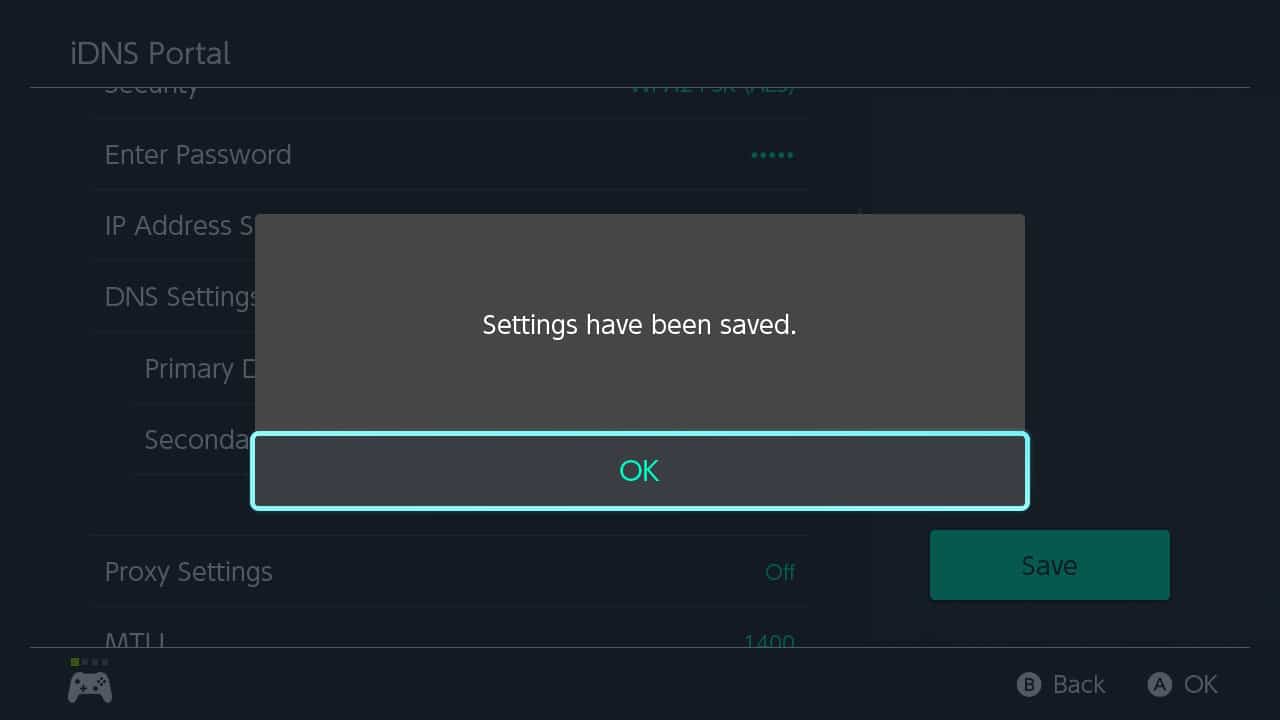
Save settings
- Step #2

Trademarks
iOS, iPhone, iPad and iPod are trademarks of Apple Inc., registered in the U.S. and other countries.
Nintendo Switch is a trademark of Nintendo of America Inc., registered in the U.S. and other countries.
Android, Chromebook and Chrome OS are a trademark of Google LLC, registered in the U.S. and other countries.
Nintendo Switch is a trademark of Nintendo of America Inc., registered in the U.S. and other countries.
Android, Chromebook and Chrome OS are a trademark of Google LLC, registered in the U.S. and other countries.